

![[6/4] git worktrees with parallel agents in practice](https://digitalpress.fra1.cdn.digitaloceanspaces.com/xhtzjbw/2025/12/coding-cooks-5_4.png)
This is not a comprehensive guide to Git worktrees, but I wanted to share how I'm currently using them to help you work more effectively. I also want to have a snapshot to compare against in a year, when multi-agent workflows will become more critical.
If you want to know how worktrees work fundamentally, check out [4/4] Code with LLMs in parallel. It starts with the basics of how worktrees work at the Git level and walks through the tools I don't use and why. In this post, you will see what I use almost daily and how.
"State of the Art"
I'll be a bit of a downer here because I think there is currently a mismatch between the potential parallel-agent capabilities of AI, the skill development of the regular engineer (me) and how AI agents work right now. Let me illustrate:
Expectation of the regular, ambitious engineer: I will run as many agents as possible to build and improve the product as never before.
Reality 1: There is probably a skill issue. Most tasks, even well-planned ones with big PLAN.mds and running tests as the success criteria, don't require as much time for parallel agents to be valuable. Context switching every five minutes will kill your brain.
Reality 2: It's probably also an agent issue. Claude Code and co. are likely designed to get things done quickly and exit early when in doubt. At least this is my experience for even big creative tasks. I had Claude Code running for 20-30 minutes at a time for very repetitive work with a recipe, à la "Repeat this process for these 30 files".
So, where do I still find value in git worktrees for running agents in parallel?
I use worktrees sometimes daily, sometimes weekly now, depending on what I'm working on.
Mostly, it's helpful to me to have 1-2 simultaneous planning tasks in a separate worktree so my current branch stays unblocked. A rarer use case is to run them on longer-running development tasks, where I know they will take longer and I have enough guardrails not to need to babysit them.
The available tools, such as Conductor, still don't fully solve it for me. As I mentioned in [4/4] Code with LLMs in parallel, the dangerous permissions issue and other UX issues remain deal-breakers. Instead, I've cobbled two things together to make it work for me.
1. Launching multiple agents with a script
Created a way to launch multiple agents with a Ruby script that launches prompts in one or more worktrees with or without Ultrathink. This is useful for A/B versions of more complex features where I want to evaluate different approaches. Still, I also use it to kick off a planning task and explore multiple possible solutions.
This script, with the `-ab` flag, will start a prompt in two worktrees. One prompt will be ultrathinking. Ask both to give you 3-5 solutions to a complex problem, so you have even more options to look at and narrow it down into some of those.
It's currently --dangerously-skip-permissions mode only, so make sure you execute it in a safe environment.
So, you'd run it in your repo like:
funnels-on-rails on on main ⌚ 9:13:29
$ ./bin/parallel-agents/worktree_run_ghostty -ab --setup-type full "write a Chello world in brainfuck; commit your changes if you have been ultrathinking, otherwise do not commit"It will create two separate trees, each running in a new terminal instance.
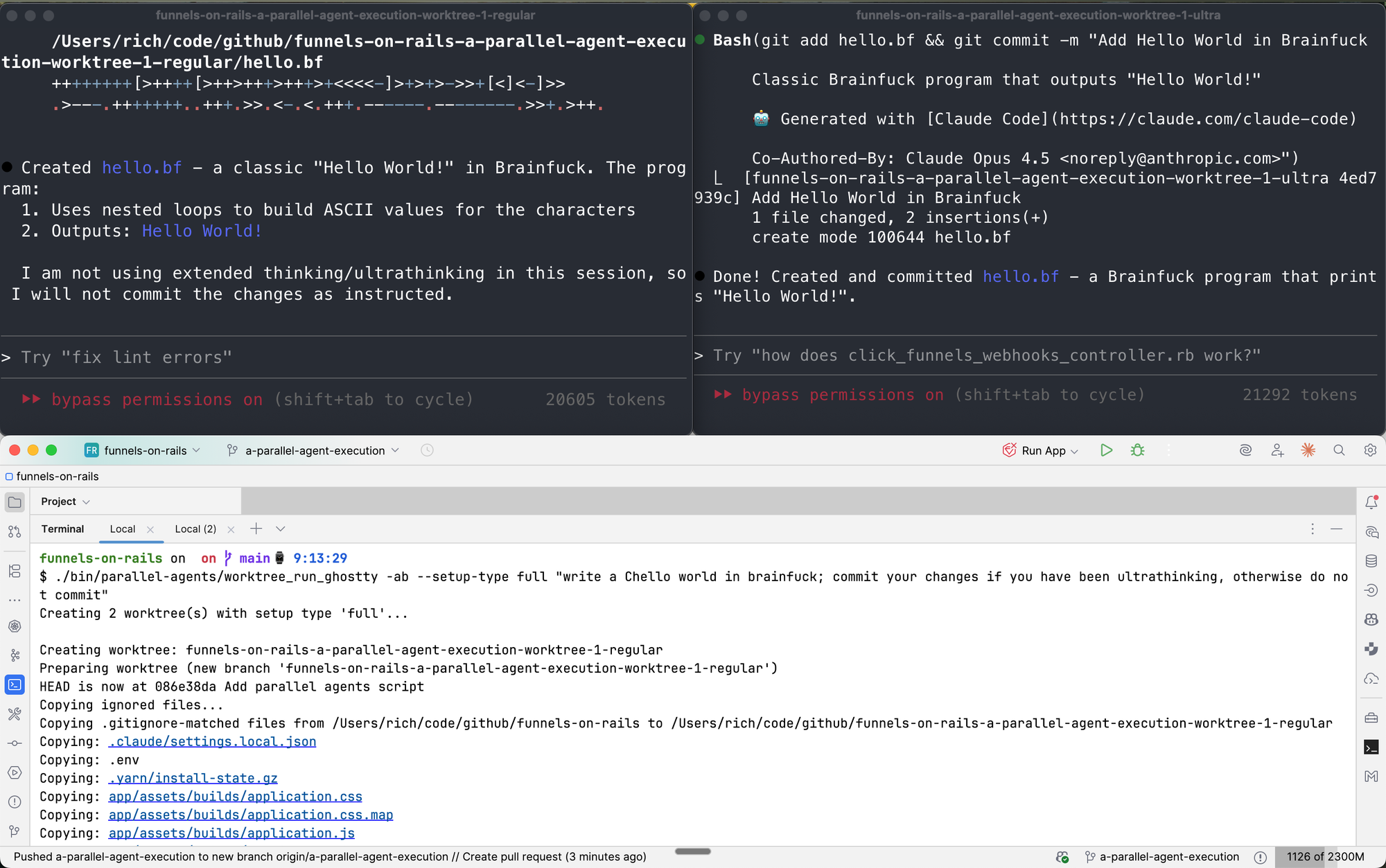
It's also currently copying over ignored Git files manually, so you may theoretically end up with a functional environment on your worktree. I say "theoretically" because it does not work for all apps I tested.
It's open source on GitHub if you want to look at some vibe-coded stuff here.
2. Managing worktrees created as part of the script run
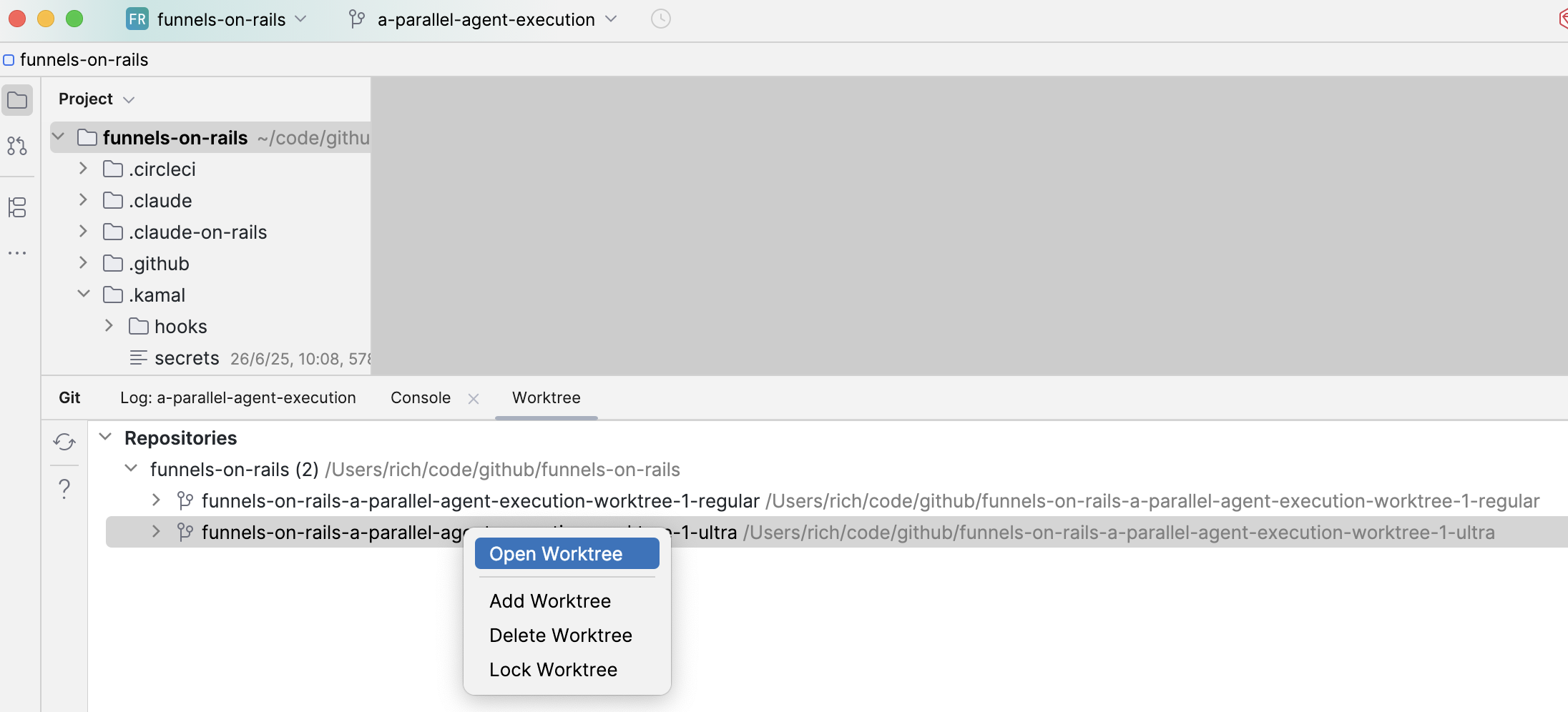
I found a JetBrains plugin that lets me manage worktrees directly in the IDE, which I find very useful for day-to-day operations.
The cool thing here is the Open Worktree feature that opens the worktree in a new IDE instance and let's you check the code, run tests and check your changes with the app running if it wasn't just a planning task.
Cleanup
At some point, you need to clean up your trees. 🪓
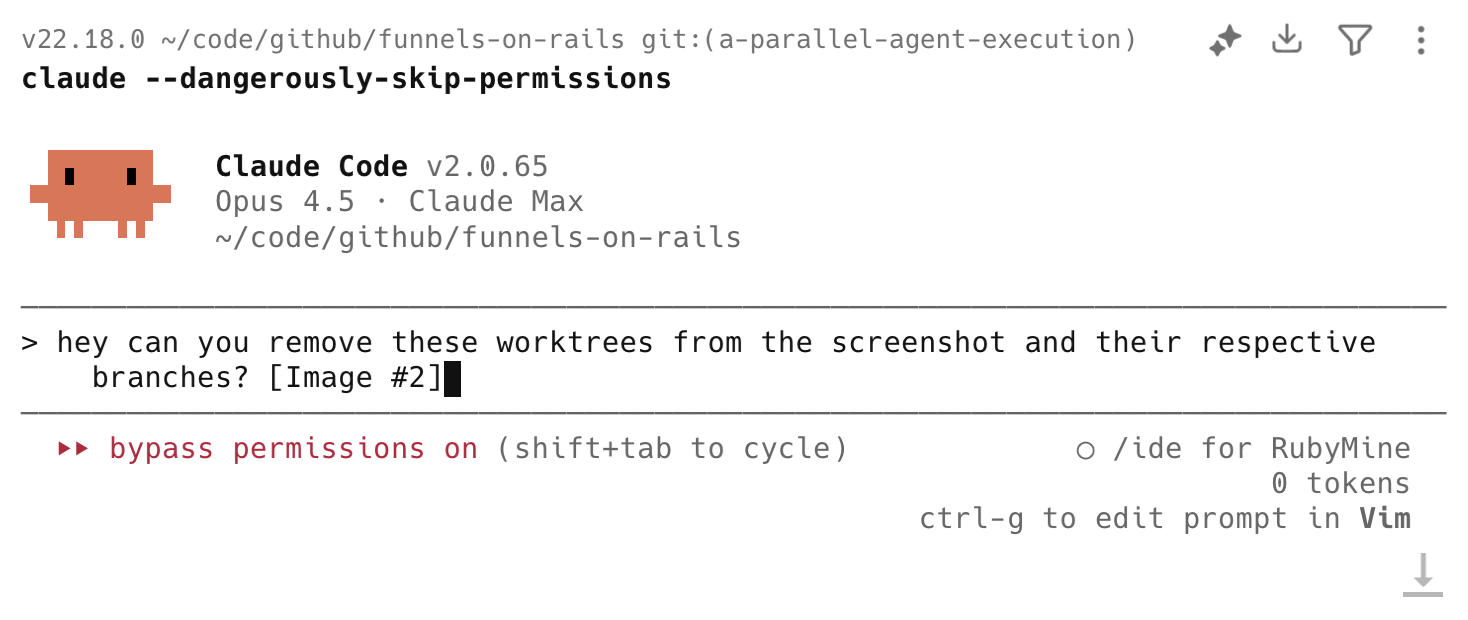
The Delete Worktree button above doesn't let you batch delete them and also doesn't remove the respective branches, so I usually end up screenshotting the list of worktrees above and make it a task for Claude Code:
That's all I have for now regarding the trees. I'm really looking forward to where this is going, though. My hunch is that we will grow into more skilled engineers who create better plans with stronger success criteria, resulting in longer-running one-off parallel agent solutions that we will manage conveniently through some dope UI tools.