

![[7/4] Speak to LLMs with voice-to-text](https://digitalpress.fra1.cdn.digitaloceanspaces.com/xhtzjbw/2025/12/christmas-llm-post-7-4-1.png)
This small practice made me more productive and happy as a software engineer. If you chat with LLMs && you are in a room where you can speak to your computer && you are not speaking to your computer, you might be missing out.
Using a voice-to-text tool is excellent for software engineering and knowledge work for several reasons. Let's check those reasons with examples and look at the tools I used to give myself some engineering boosts.
Brain dump LLMs
War story: Once, we forgot to record or transcribe a meeting where we discussed a bunch of action points and a summary we needed to forward to the CEO. The CTO brain-dumped everything he remembered from the convo to ChatGPT and asked it to provide a summary and the action points for each team member. When I reviewed the summary and action points, they were exactly to the point. That might have turned out differently. When you speak, you brain-dump it freely; when you have to write yet another thing that looks shareable, this is a whole other level of effort.
War story 2: Once I had a homework (that I created myself for the Rails Builders group) to define an ICP (Ideal Customer Profile). I did 80%-90% of that homework while walking somewhere and answered all the questions. Out came two nice ICP versions in markdown format for Funnels on Rails, which I then just needed to import into Google Docs and tweak the details of (off topic: ICP helps immensely when shaping your product and conceiving your marketing/sales messaging). Without voice-to-text, that homework might never have been done.
Generally, I use chat conversations, technical notes, and text-to-voice brain dumps on what I know about an issue to create a PLAN.md to resolve it, or as a prompt for Claude Code.
The cool thing is that if you have a high-quality voice-to-text generator, you rarely need to verify the results you pass to LLMs. LLMs are good at inferring the actual thing you wanted to say if there is a typo or if voice-to-text misinterpreted what you spoke.
Repetitive and quick inputs
There are some things I often tell the LLM that it likes to forget. If I tell Claude Code to just "implement the code for the PLAN.md" it will frequently forget these bits from the CLAUDE.md:
## Worfklows
[...]
### Git

- Create atomic commits for the different steps that you work off. Atomic commits doesn't mean small commits. They can be bigger commits with everything that belongs together to achieve the goal of the commit.
[...]

### Testing

- Run relevant tests after each finished work item.
If, on the other hand, I tell it to "implement the code for the PLAN.md, make sure to run the tests and commit after each step, otherwise your work will not be accepted", then there is a 95% probability that Claude Code will do the right thing.
It'd be frustrating to type this in every time.
Need for speed
It's also often just much faster than typing. Could you test your typing speed?
I usually don't perform very well on these tests, though I've been doing touch typing for 15 years. If you never practice speed, you'll never get very speedy. My max is at about 60-70 WPM. Here is a spontaneous WPM I just did for you, which is abysmal?
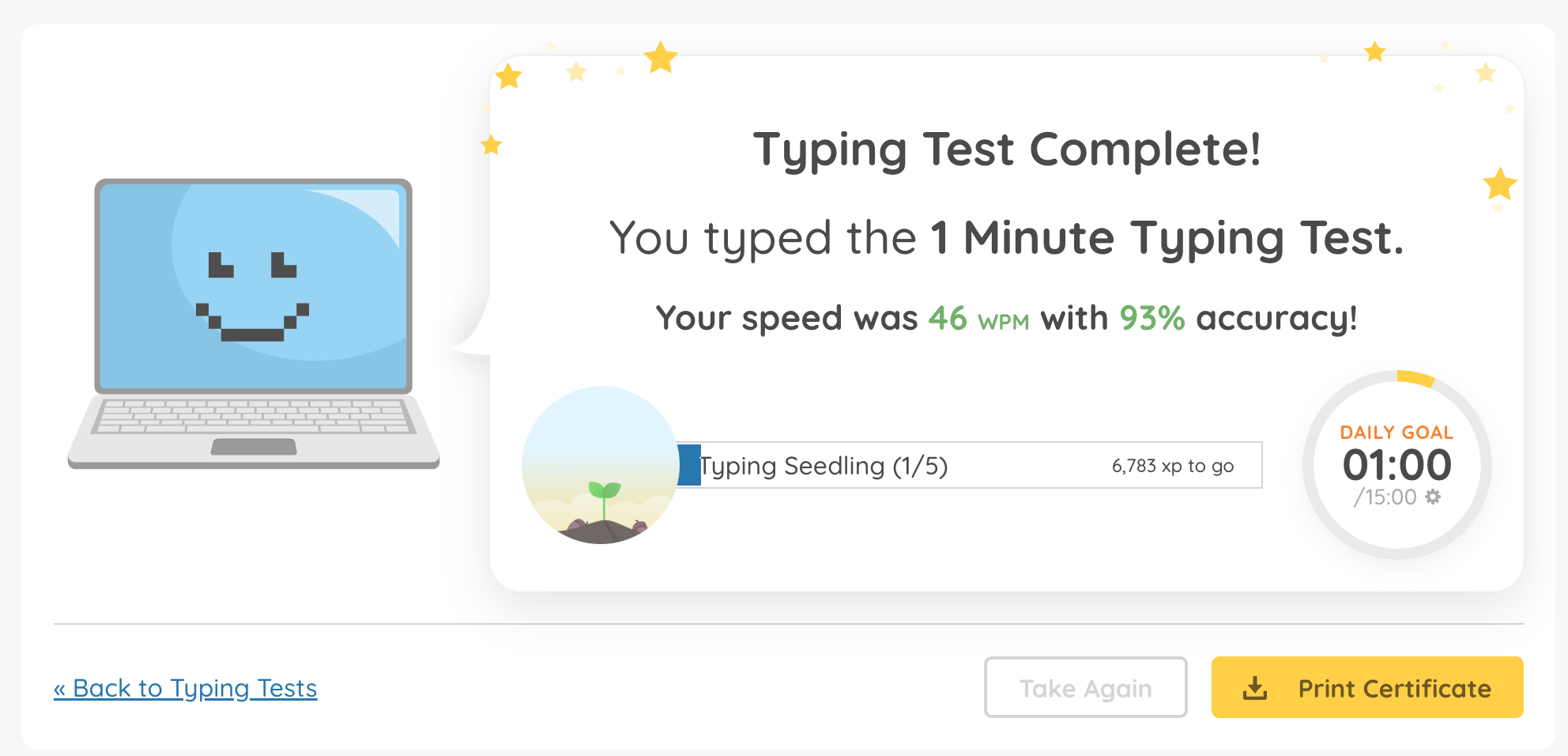
I'm also a relatively slow talker and take my time thinking with voice-to-text, but my text-to-voice app still shows me 80-95 WPM averages still.
Managing energy levels
My brain sometimes reaches a point where it's easier to say something than to write it. For example, after a full day of good work and shipping, it can be daunting to sit down for another hour at your computer and start writing that prompt for your side project.
Voice-to-text is a great way to manage these breaking points and turn them into an opportunity to express your thoughts and ideas differently. Doesn't seem like a big thing, but if you want to max out on your output some days, it is.
Texting someone on the go
Life gets busy, and you might need to communicate while walking. Some conversations are easily dealt with by a voice message. But others aren't a good candidate, either, because the person on the other end prefers text messages or needs to get a text message for other reasons. Having a great voice-to-text on your mobile would be really nice. I have an iPhone, which is OKish with voice-to-text, but it isn't a tool that nails it.
Tooling
This is not a comprehensive guide, just a personal recommendation based on personal experience.
WisprFlow
My preference is WispFlow. I press CTRL+SHIFT to record something quickly and release; it then automatically pastes wherever the focus of the cursor is. CTRL+SHIFT+SPACE is for longer rants.
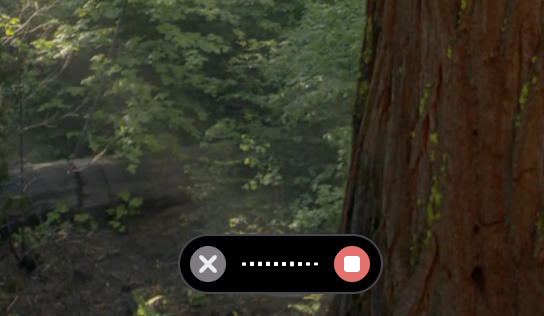
The other cool thing is that it has its own clipboard manager, not polluting your regular clipboard. You can always paste your last input with CTRL+CMD+V or go back to the app to find something you said.
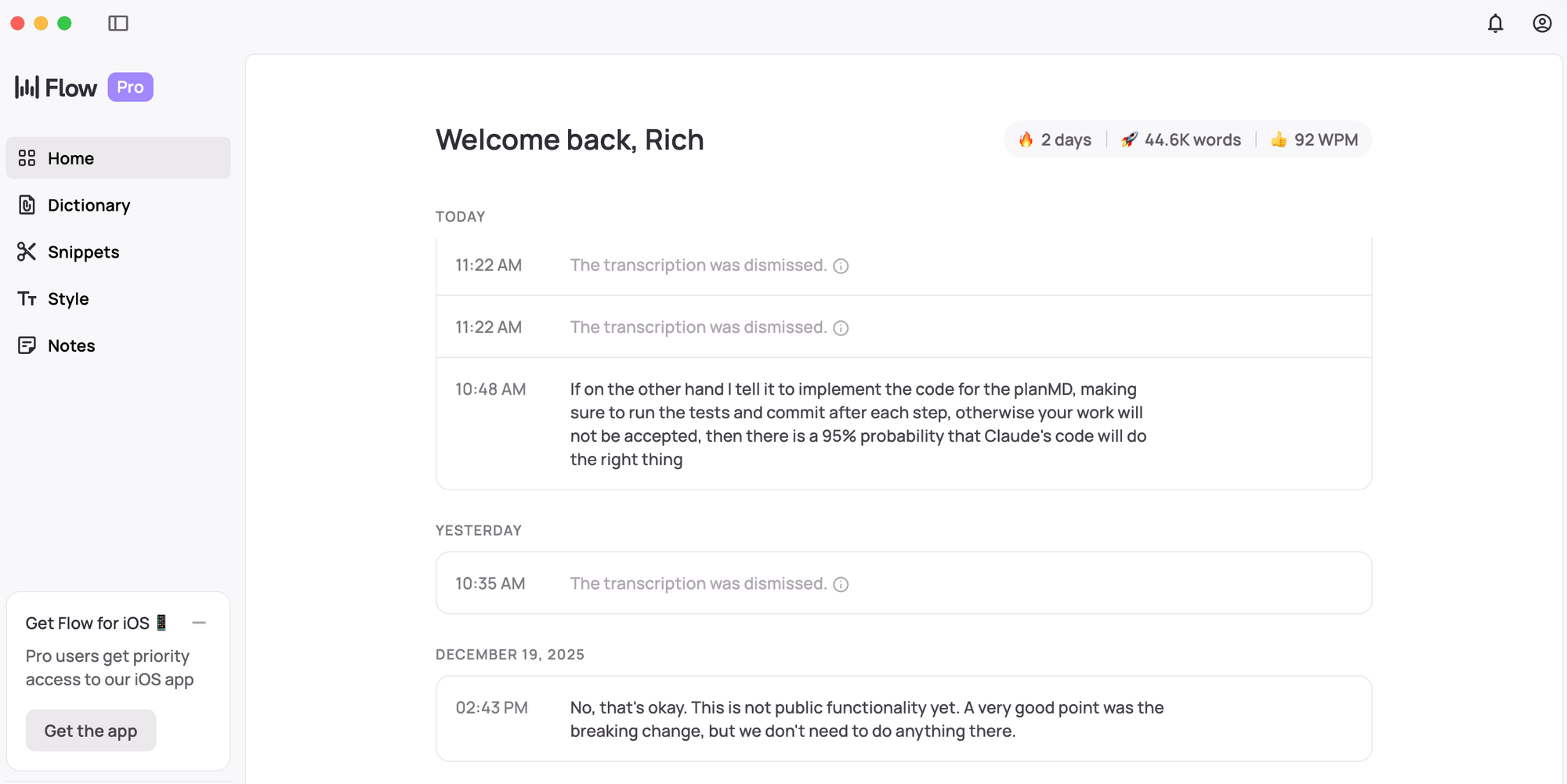
The mobile app has its quirks, but works better for me than the built-in iOS voice-to-text of my keyboards.
They have a free tier to see if this whole voice-to-text things is something for you, and you can get a month for free (and I think me too) with my link here.
Superwhisper
I know a lot of people use Superwhisper, which has a free open-source version. I tried the free tier of the paid version and did not become friends with the shortcuts on desktop and I don't think it has the same feature set as I described above for WisprFlow. It also has a mobile app, which didn't work on my iPhone at the time at all.
Claude Desktop
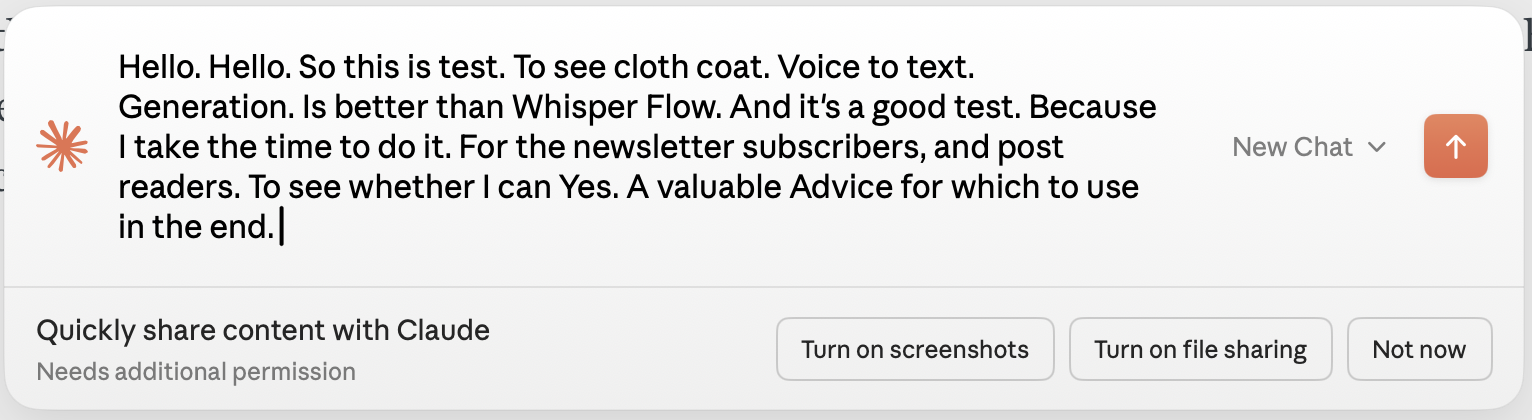
One of the Claude Desktop brought an intrusive shortcut for speaking to Claude directly using the Caps Lock key. I wondered if I can misuse it as a free app for voice-to-text, but the quality of the generated text was unusably low. Here is an example generated for you right now:

This is the exact text I just spoke, generated by WisprFlow:

This is what Claude Code generated:
Google Docs
A thing I recently learned from Aaron Francis in his screencasting course is that he uses Google Docs voice-to-text to do a first run of his screencasts before actually recording anything. So, this might cover your use case, too, keeping things extremely simple.
If you aren't using voice-to-text for coding and other knowledge work yet, this is the time to try it. The tools are there and it's giving coding another fun spin, further turning you into a ship-machine.

![[8/4] How a Scotsman saved hours of my time by turning an LLM into my virtual assistant](https://digitalpress.fra1.cdn.digitaloceanspaces.com/xhtzjbw/2025/12/ChatGPT-Image-Dec-27--2025--05_51_01-AM.png)
